
What Is a UCaaS Platform? A Guide for MSPs and Resellers

A UCaaS platform is the cloud system behind unified communications, and for resellers, the admin side matters as much as the calling features.
- A UCaaS platform combines a cloud call-control core, a carrier network, user apps, and management portals into one multi-tenant service.
- Core components include cloud PBX calling, UC clients, business messaging, meetings, contact center, admin portals, and APIs.
- Provisioning, billing, and taxation tools decide how much hands-on work each new customer costs you.
- Security, compliance, and geo-redundant networks are platform-level responsibilities you inherit under your own brand.
Before you compare vendors, learn how the platform itself works because you’ll be the one running it for your customers.
The market for unified communications as a service is projected to grow nearly sixfold over the next decade, from about $85 billion to roughly $495 billion. That growth runs through platforms. Every cloud phone system your customers buy sits on one, and if you plan to sell voice under your own brand, you’ll be picking one to build on.
So what is a UCaaS platform, exactly? This guide breaks down how a UCaaS platform works, what’s inside it, and how administration, integrations, security, and scale play out day to day. It’s written for MSPs, VARs, and telecom resellers weighing a white-label UCaaS platform as the foundation of a voice practice.
What Is a UCaaS Platform?
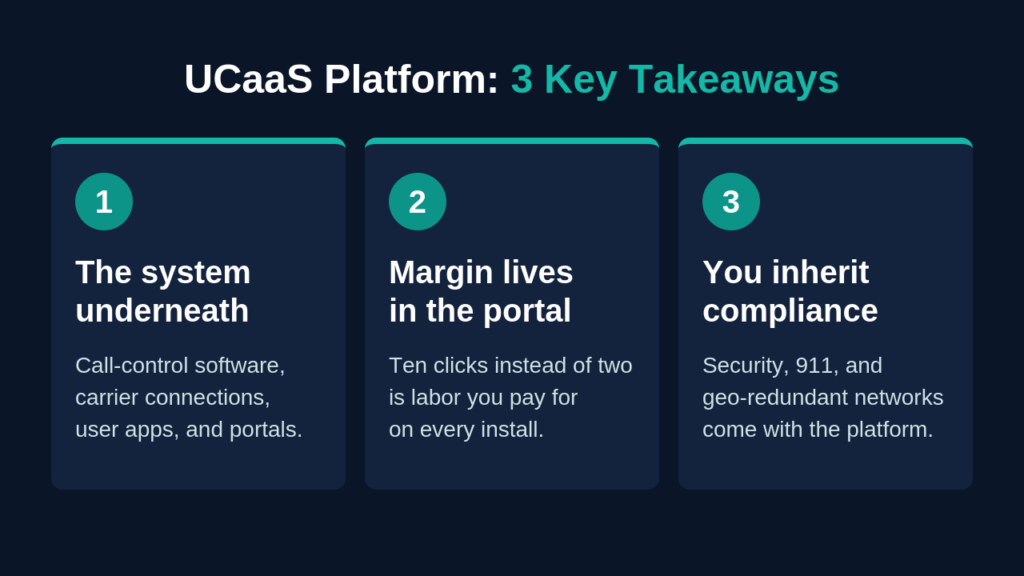
A UCaaS platform is the cloud-hosted software and network that delivers business calling, messaging, meetings, and collaboration as a subscription service. UCaaS is the category. The platform is the actual system underneath: the call-control software, carrier connections, user apps, and portals used to manage it all.
That distinction matters more to you than to your customers. An end user sees a phone app and a dial tone. You see two sides of the same unified communications platform: the features your customers use and the tools you use to set up, bill, and support them. A platform can be strong on the first and weak on the second, and you’ll only feel the gap after you’ve signed your tenth account.
If you want the broader background first, this plain-language UCaaS definition covers the category, its benefits, and how it compares to a traditional phone system. The rest of this guide stays on the platform itself.
How Does a UCaaS Platform Work?
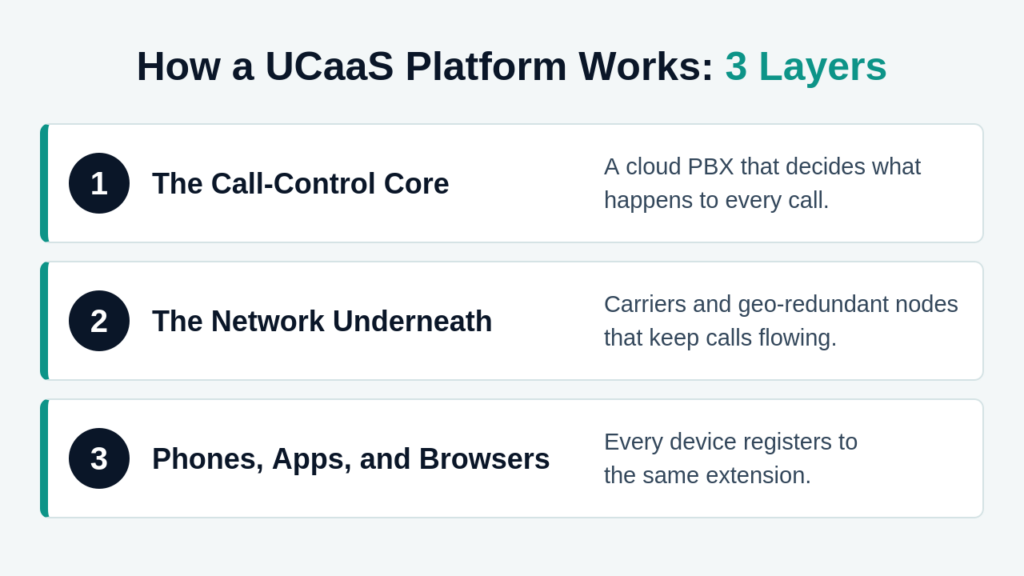
A UCaaS platform moves call control out of the customer’s phone closet and into a provider’s data centers, then delivers it over the internet to phones and apps. Three layers do the work.
The Call-Control Core
The call-control core is a cloud PBX, sometimes called a softswitch, and it’s the brain of the platform. It decides what happens to every call: which extension rings, when the auto attendant answers, where a queue sends the next caller, and what gets recorded. Most platforms run this core as multi-tenant software, meaning many customer accounts share one system while their data and settings stay separate. That shared design is why updates and new features show up without a truck roll.
The Network Underneath
The network connects the core to the outside world and keeps it running when something breaks. Carrier relationships link it to the public telephone network and handle phone numbers, porting, toll-free service, and emergency calling. Geo-redundant networks place call-control nodes in separate regions, so if one site has a problem, phones re-register to another and calls keep flowing. Your name is on the invoice when a customer’s phones go quiet.
Phones, Apps, and Browsers
The last layer is what users touch: desk phones, desktop and mobile apps, and browser-based clients. All of them register to the same extension, so a call can ring a desk phone and a mobile app at once. Gallup’s workplace tracking shows 78% of remote-capable employees in the U.S. now work in a hybrid or fully remote arrangement. A phone system tied to one building doesn’t fit how those people work.
What Are the Core Components of a Unified Communications Platform?
The core components of a unified communications platform are cloud PBX calling, UC clients, business messaging, meetings, contact center, admin portals, and APIs. Nearly every platform bundles these seven, though depth varies from one to the next.
- Cloud PBX calling. Auto attendants, call queues, ring groups, call recording, voicemail transcription, and call parking. This is the part customers use every day, so test it the hardest.
- UC clients. Web, desktop, and mobile apps that carry a user’s extension anywhere, with presence, visual voicemail, and call history.
- Business messaging. Team chat plus SMS and MMS from business numbers, so staff stop texting customers from personal phones.
- Meetings. Video and audio conferencing with screen sharing.
- Contact center. Usually an add-on. Skills-based routing, queue callbacks, dashboards, and reporting across voice, SMS, chat, and email.
- Admin portals. Role-based access for users, office managers, and your own technicians.
- APIs and integrations. Hooks into CRMs and business apps, plus REST APIs for custom work.
Virtual fax, SD-WAN, and a connector for Microsoft Teams often round out the list. Most resellers lead with calling and the mobile app, then add messaging or contact center as a customer’s needs grow.
How Do Administration and Provisioning Work on a UCaaS Platform for Resellers?
On a UCaaS platform for resellers, administration happens in a partner portal that sits above every customer account, and it’s where your margin is won or lost. Each task that takes ten clicks instead of two is labor you pay for on every install.
Multi-Tenant Management
A reseller portal lets you see and manage all of your customers from one login. Each customer is its own tenant with its own users, numbers, and call flows. On a white-label UCaaS platform, that portal and your invoices carry your logo, colors, and domain, so the customer never sees the provider behind you. How far that branding goes varies, and it’s one of the first things to test when you learn how to choose a white-label provider.
Users, Numbers, and Devices
Provisioning covers three jobs: creating users and extensions, assigning or porting phone numbers, and getting devices online. Look for self-service on all three. If you’re moving customers off an older PBX or another provider, ask who manages the number ports and how long they usually take. The best setups auto-provision desk phones, which means a phone ships to the customer’s office, gets plugged in, and pulls its own configuration.
Quoting, Billing, and Taxation
Voice billing is harder than billing for managed IT. Telecom taxes and regulatory fees vary by state and locality, and usage has to be rated correctly. A platform built for resale connects quoting, billing, and tax calculation, so an accepted quote becomes an account and an invoice without retyping. Pricing follows the same logic: you pay a wholesale per-seat rate, set your own retail price, and invoice the customer directly. For the business side of the decision, including packaging and selling, see what MSPs need to know before adding UCaaS.
Which Integrations and AI Capabilities Should a UCaaS Platform Include?
A UCaaS platform should connect to the software your customers already live in and include AI features natively, without a separate vendor in the middle. Both make the phone system harder to rip out, which is good for retention.
CRM and Business App Integrations
The most requested integration is a screen pop: a call comes in, and the caller’s CRM record automatically opens. Click-to-call from the CRM is a close second. Good platforms offer prebuilt connectors for popular CRMs and a simple URL-based method for anything web-based. A Microsoft Teams connector matters too, since many of your customers already use Teams for chat and meetings but need full PBX features behind it. For everything else, REST APIs let a developer manage numbers, pull real-time call data, or add provisioning to your own systems.
AI Built Into the Platform
AI is now a working part of the stack. On the everyday side, that means voicemail transcription, live call transcription, and post-call summaries with sentiment detection in the contact center. The bigger step is conversational AI agents built into the platform that deploy as an extension, just like you’d add a user. They answer calls, detect caller intent, route intelligently, book appointments, and cover after-hours, with a human always available for escalation. Because the agent is native, there’s one billing relationship and one support channel, and no third-party margin stacked between you and the customer. A no-code builder means you don’t need AI engineers to launch one.
How Does a UCaaS Platform Handle Security, Compliance, and Scale?
A UCaaS platform handles security, compliance, and scale at the provider level, which means you inherit most of it instead of building it. You still need to know what you’re inheriting.
On security, look for encrypted signaling and media, role-based permissions, two-factor authentication, and fraud monitoring that catches toll fraud before it turns into a painful invoice.
FCC rules require multi-line phone systems to support direct 911 dialing and send a dispatchable location with the call, under Kari’s Law and RAY BAUM’S Act. Add STIR/SHAKEN call authentication, 10DLC registration for business texting, and HIPAA requirements for healthcare customers. Compliance should be handled in the platform, with tools for you to manage details like 911 locations per user.
Scale is the easy part by comparison. Adding seats is a portal task that takes minutes, and removing them is just as quick. What deserves attention is call quality as you grow. Monitoring tools that flag jitter, latency, and packet loss tell you whether a problem is in the customer’s network, the ISP, or the platform, which saves hours of finger-pointing. Most customers run fine on standard business broadband with voice traffic prioritized, and an SD-WAN add-on with cellular backup covers sites that can’t afford a dropped connection.
What Should You Check When Evaluating a UCaaS Platform for MSPs?
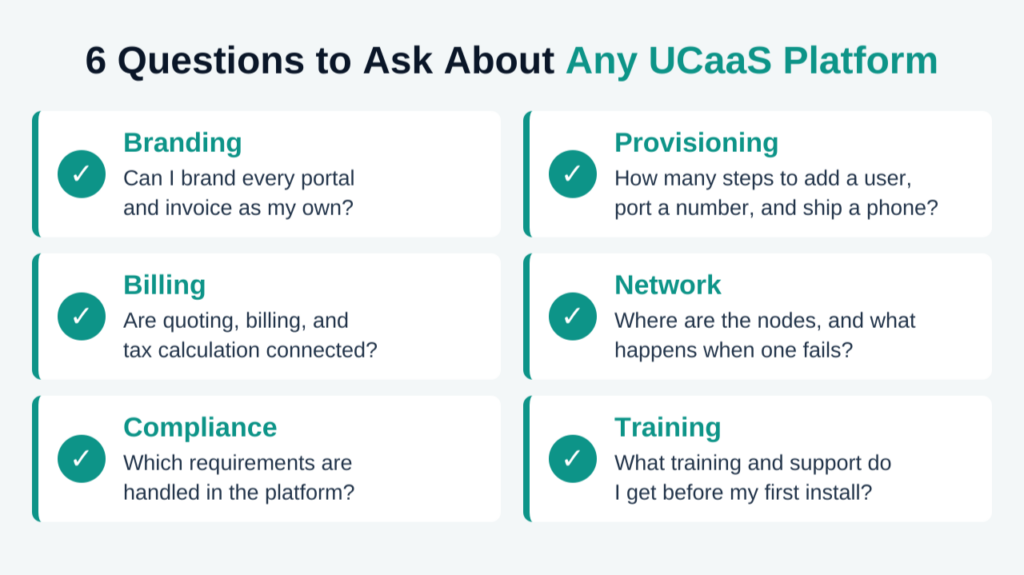
When you evaluate a UCaaS platform for MSPs, check the reseller-side tools first because feature lists look nearly identical across vendors. A short list of questions separates platforms quickly:
- Can I brand every portal and invoice as my own?
- How many steps does it take to add a user, port a number, and ship a working phone?
- Are quoting, billing, and tax calculation connected, or will I stitch them together?
- Where are the network nodes, and what happens to calls when one fails?
- Which compliance requirements are handled in the platform?
- What training and support do I get before my first install?
This guide stops at the platform. For a side-by-side look at vendor types and pricing models, the guide to UCaaS providers covers that ground.
Frequently Asked Questions About UCaaS Platforms
What is a UCaaS platform made of?
A UCaaS platform is made of four parts: a cloud call-control core, a carrier network that connects it to the public phone system, the phones and apps people use, and the portals and APIs used to manage everything. Calling, messaging, meetings, and contact center all run on top of those four parts.
Is a UCaaS platform the same as a UCaaS provider?
No. The platform is the technology, and the provider is the company that operates and sells it. When you resell a white-label UCaaS platform, you become the provider in your customer’s eyes, while your platform partner runs the infrastructure behind you.
Do I need voice experience to run a UCaaS platform for MSPs?
No. A good platform partner trains your team on setup, billing, and support through a structured UCaaS reseller program. Committed partners can start selling in as little as 30 days, and a full onboarding program typically runs 9 to 12 weeks.
Can I add contact center or AI later on a UCaaS platform for resellers?
Yes. Most platforms are modular, so you can start a customer on core calling and add business SMS, contact center, or an AI agent when they’re ready. Nothing has to be rebuilt to do it.
Build Your Voice Practice on the Right UCaaS Platform
The platform you choose becomes your product. Your customers will judge you on its call quality, and your team will live in its portals every day. So look past the feature grid and study how it actually runs: the core, the network, the provisioning flow, the billing, and the compliance tools.
SkySwitch gives MSPs and resellers a white-label UCaaS platform with a geo-redundant network of four nodes across the U.S., self-service provisioning, integrated billing and taxation, and hands-on onboarding, all under your brand. Get started with SkySwitch to see the platform for yourself.

Jessica is a marketing and sales strategist with deep expertise in VoIP telecommunications. As a Marketing Director, she specializes in channel marketing, account management, and product marketing within the communications industry. Jessica is passionate about helping partners grow through compelling messaging and hands-on support.