
Business SMS for MSPs: Expand Client Communications

Business SMS is one of the easiest recurring revenue add-ons you can attach to an existing voice offering, and your clients are already texting their customers whether you sell it to them or not.
- The U.S. market for application-to-person messaging reached $15.7 billion in 2025 and is projected to hit $23.5 billion by 2034.
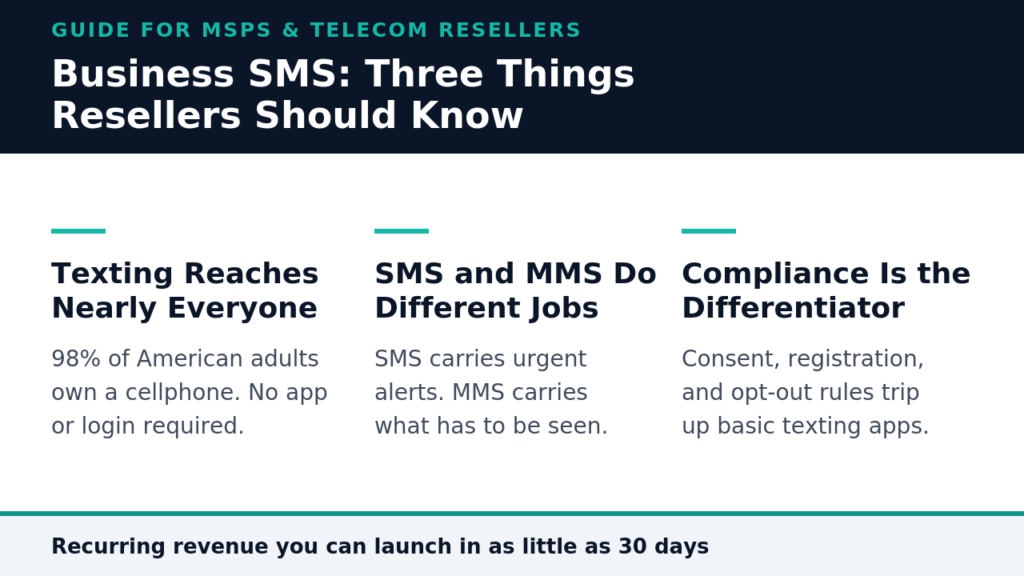
- Texting reaches people where they actually are, since 98% of American adults own a cellphone and 91% own a smartphone.
- SMS handles short, urgent, universal messages. MMS handles visual content. Most clients need both, and knowing when to use each is where you add value.
- Compliance is the real differentiator. Registration, documented consent, and opt-out handling are exactly where consumer texting apps leave your clients exposed.
If your clients are already sending reminders from a standalone texting tool, you’re handing margin and account stickiness to somebody else.
Walk through your client list and count how many already text their customers in some form. The dental office confirming cleanings. The HVAC company telling a homeowner the tech is 15 minutes out. The property manager blasting a maintenance notice to 40 units. Most of them cobbled that together themselves with a standalone app that doesn’t talk to anything else they own and definitely doesn’t talk to you.
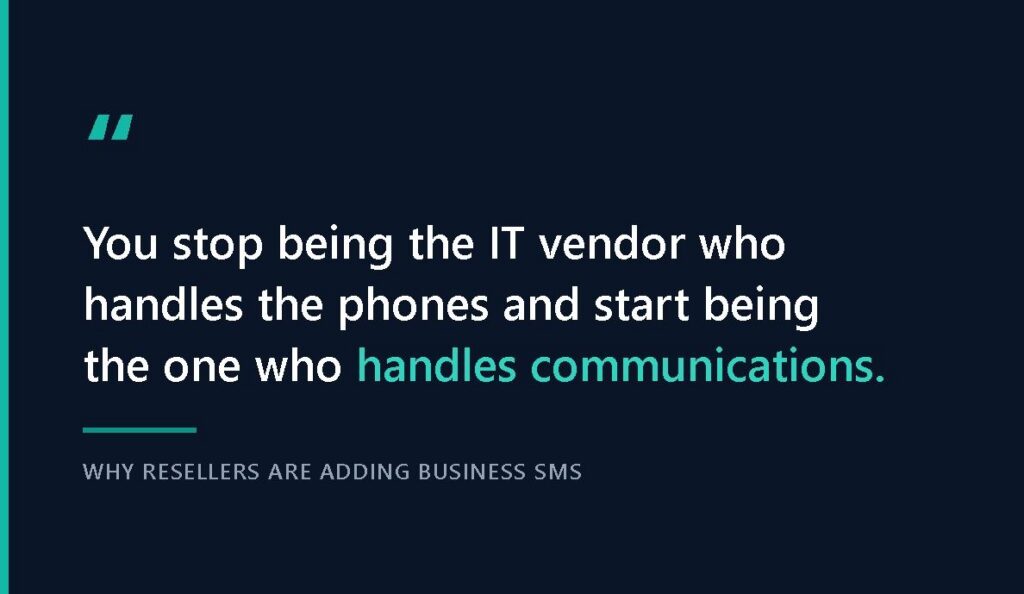
That gap is the opportunity, and it keeps widening. The U.S. A2P messaging market reached $15.7 billion in 2025 and is on track to hit $23.5 billion by 2034. When you resell business SMS through a white-label UCaaS platform, you fold texting into the same phone system, invoice, and support relationship your clients already trust you for. You stop being the IT vendor who handles the phones and start being the one who handles communications. This guide covers what business SMS actually is, how MSPs use it on both sides of the relationship, how SMS and MMS differ, what compliance requires, and how to add it to what you sell.
What Is Business SMS, and Why Should MSPs Care?
Business SMS is application-to-person messaging, meaning texts sent from a software platform to an individual rather than thumb-typed from one phone to another. Application-to-person traffic runs on registered numbers, follows carrier rules, supports automation, and produces delivery records. Person-to-person traffic does none of that.
The difference shows up fast. A staffer texting clients from a personal cell phone creates a compliance, continuity, and data problem all at once. When that person leaves, the conversation history walks out with them. A proper business texting platform keeps threads on company-owned numbers, syncs across devices, and gives managers visibility into what was said.
How SMS for Business Differs From Consumer Texting
Consumer texting is one thread, one phone, one person. SMS for business is built for teams and volume. You get shared numbers so multiple staff can monitor one inbox, keyword auto-replies that handle common questions without a human, scheduled campaigns, canned responses, and away-message responders for after hours. Just as importantly, clients text from the same business number customers already call, so there’s no confusion about who’s reaching out.
Integration is the other separator. Real platforms connect to CRMs, scheduling systems, and helpdesk tools, so a message fires automatically when an appointment gets booked or a ticket status changes. That’s the difference between a texting app and a communications capability.
Why the Timing Favors Resellers Right Now
Demand for SMS communications is broad and no longer limited to retail promotions. Healthcare uses it for appointment and prescription reminders, financial services for fraud alerts, and logistics for delivery windows. If you serve small and midsize businesses in any of these categories, you already have prospects.
The reach is what makes the pitch easy. Roughly 98% of American adults own a cellphone, and 91% own a smartphone, so a text lands with essentially every customer your clients have. No app download, no login, no algorithm deciding who sees it.
What’s changed is that clients now expect texting to be part of their phone system rather than a separate subscription. Every service you fold into one bill is one less vendor for your client to manage and one more reason they stay.
How Are MSPs Using Business SMS Inside Their Own Operations?
Most coverage jumps straight to what you can sell. Try using it yourself first because MSPs who text their own clients every day pitch the service far more convincingly.
Think about how much of your own client communication is time-sensitive and gets ignored in an inbox. Maintenance windows. Outage notices. Dispatch confirmations. Renewal deadlines. Each one would land better as a text than as the email you send now.

Outage and Maintenance Notifications
When a client’s internet goes down or you’re pushing a firmware update at 2 a.m., email is the wrong channel. Nobody’s watching. A text to the primary contact and office manager reaches both in seconds, heads off the inbound “is it just us?” calls, and makes your team look proactive. Set up a distribution list per client, and you can notify an entire book of business in one send.
Ticket Status and Technician Dispatch
A message that reads, “Your tech is on the way, arriving around 2:15,” eliminates a whole category of support friction. So does a text confirming a ticket was received and another confirming it was resolved. These small touches change how clients perceive your responsiveness and cost almost nothing once the workflow is built.
Billing, Renewal, and Onboarding Reminders
Contract renewals slip through the cracks because renewal emails look like every other email. A text three weeks out gets a response. The same goes for overdue invoices, onboarding calls, and documentation requests during a migration. Once you’ve lived with this type of communication internally for a quarter, the sales conversation writes itself.
What Client Communication Problems Does Business Texting Solve?
Your clients don’t buy texting. They buy fewer no-shows, faster payments, and customers who don’t drift elsewhere. Frame it as a solution, and the conversation gets easier. Here are seven business texting use cases that consistently convert:
- Appointment reminders. Medical offices, salons, and repair shops lose real revenue to forgotten appointments. Automated reminders with a reply-to-confirm option shrink that number and free front-desk staff from making confirmation calls all afternoon.
- Two-way customer service. Customers would rather text a question than sit on hold. Shared inboxes let several staff members cover one number so that nothing goes unanswered.
- Keyword auto-responders. A real estate firm posts a yard sign with “Text LISTING to 555-0142,” and property details arrive instantly. These campaigns run themselves once configured.
- Service and delivery notifications. Home services, auto shops, and logistics clients use texts for arrival windows, completed-work notices, and pickup-ready alerts.
- Payment and renewal reminders. Overdue invoice notices sent by text get acted on faster than mailed statements, improving your client’s cash flow in a way they can measure.
- Blast campaigns. New inventory, seasonal promotions, weather closures, or emergency notices delivered to an entire customer list in one action.
- Drip sequences. Timed message series for onboarding customers, gathering updated insurance information, or nurturing prospects who aren’t ready to buy.
Every item here is something your clients are doing poorly or not doing at all. Both scenarios are openings.
SMS vs MMS: Which Should Your Clients Use?
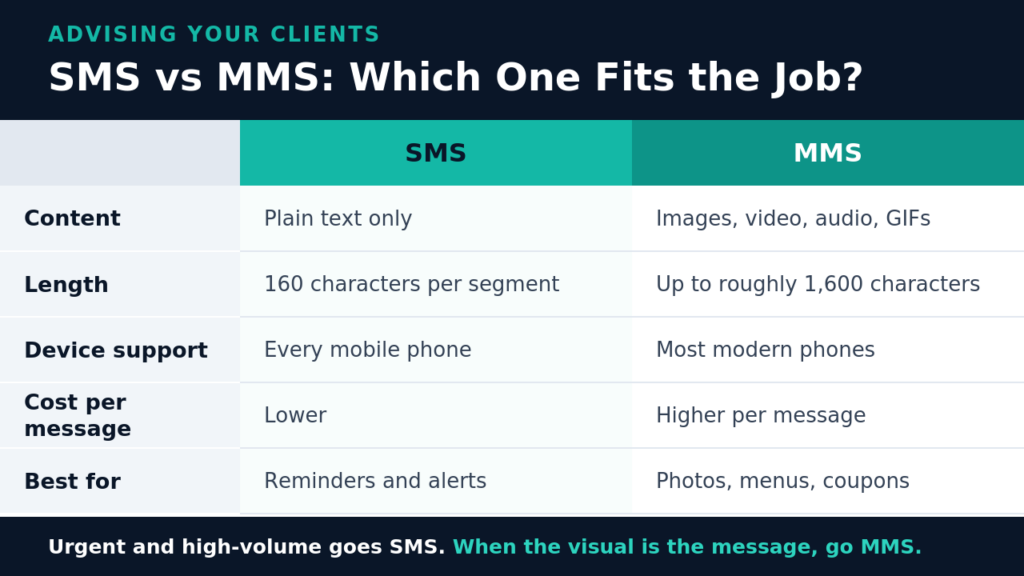
Clients tend to use these terms interchangeably, and part of your value as an advisor is knowing when each one fits. SMS is text-only and universal, while MMS carries media and costs more.
| SMS | MMS | |
| Content | Plain text only | Images, video, audio, GIFs |
| Length | 160 characters per segment | Up to roughly 1,600 characters |
| Device support | Every mobile phone | Most modern phones, some older devices excluded |
| Cost per message | Lower | Higher per message |
| Delivery reliability | Highest | Good, though large files can fail silently |
| Best for | Reminders, alerts, confirmations, codes | Property photos, menus, coupons, product shots |
The guidance for clients is straightforward. Anything urgent, transactional, or high-volume should go out as SMS, where reliability and cost matter more than presentation. Anything where the visual is the message should go out as MMS. A dental office sends SMS reminders, a real estate agent sends MMS listing photos, and a restaurant sends both.
Most quality platforms switch automatically based on whether media is attached, so your clients don’t have to think about it. Even so, there are good reasons to sell private-label business MMS as a deliberate capability, particularly for retail, hospitality, and real estate accounts where visuals drive response.
What Do You Need to Know About Business SMS Compliance?
Compliance separates a real reseller offering from a texting app, and it’s your strongest argument against clients who want to handle messaging themselves.
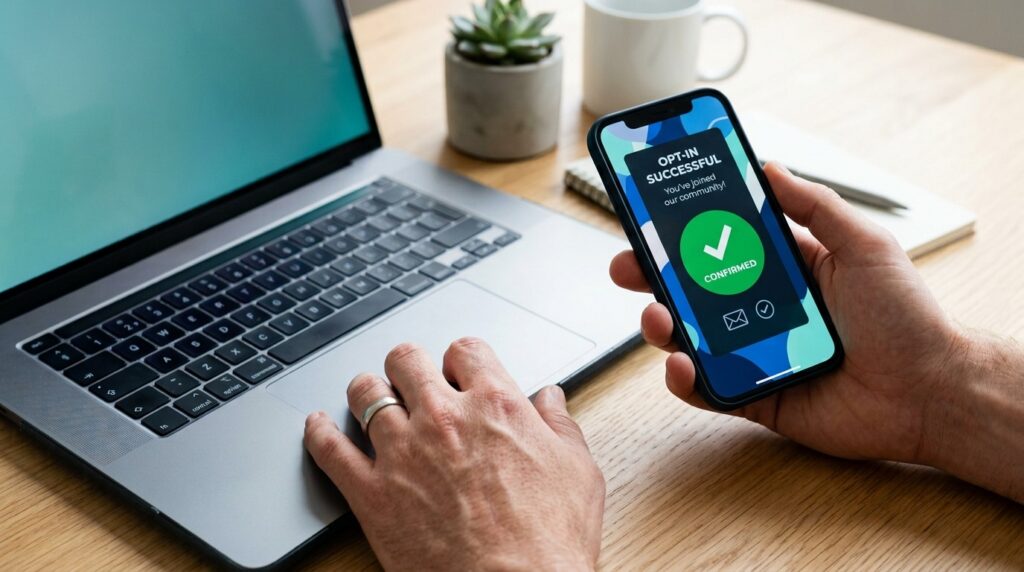
Three things govern business SMS communications in the U.S. Carriers require registration of the numbers and campaigns used for application-to-person traffic, and unregistered traffic gets filtered or blocked. Wireless industry guidelines set expectations for consent, sender identity, and content. Federal rules under the Telephone Consumer Protection Act govern how consent is obtained and withdrawn.
On that last point, the rules tightened. Consumers can revoke consent in any reasonable manner, businesses can’t designate one exclusive opt-out method, and revocation requests must be honored within a reasonable time, not to exceed 10 business days. Reply keywords including “stop,” “quit,” “end,” “revoke,” “opt out,” “cancel,” and “unsubscribe” all count as valid opt-outs.
Your clients don’t want to track any of this. They want someone to have already handled it. A platform with registration workflows, automatic opt-out processing, and consent tracking built in turns a liability into a selling point. When a prospect asks why they shouldn’t just use a cheap texting app, that’s your answer.
How Do You Add Business Messaging Solutions to Your Portfolio?
Adding messaging is less work than most MSPs assume, particularly if you’re already reselling voice. What you’re really buying is a platform, a brand wrapper, and a support structure.
A few things separate platforms worth your time. Look for messaging that runs on clients’ existing business numbers, since number continuity removes a major adoption objection. Look for a genuinely white-label experience with no trace of the underlying provider, integrations with the CRMs your client base actually uses, and a partner that handles registration and compliance plumbing rather than leaving it to you.
Billing matters too. Messaging on a separate invoice defeats the consolidation pitch, while texting as a line item on the same bill as voice reinforces the one-vendor story every time the client opens it. The same logic applies to omnichannel contact center capabilities for clients ready to move beyond basic texting. If you’re evaluating options, this breakdown on choosing an SMS platform covers the criteria in more depth.
A committed partner can launch a branded communications practice in as little as 30 days. Adding business texting capabilities to an offering you’re already selling is faster still because the platform, billing relationship, and client trust are all in place.
Frequently Asked Questions About Business SMS
Do my clients need new phone numbers to start texting? No. Quality business messaging solutions enable texting on existing numbers, so customers can text the same number they’ve always called. This feature removes the biggest adoption hurdle, since clients don’t have to reprint materials or retrain customers.
What’s the difference between white-label and private-label messaging? They mean the same thing. Both describe reselling a platform under your own brand, with your logo, your colors, and your customer relationship. Your clients never see or interact with the underlying provider.
How quickly can an MSP start selling business SMS? If you’re already reselling voice, messaging is typically an activation rather than a build. For MSPs launching a full communications practice for the first time, a committed partner can be selling within about 30 days, with deeper platform training continuing alongside early sales.
What happens if a client’s messages get blocked by carriers? Blocking almost always traces back to unregistered numbers, missing consent records, or content that trips carrier filters. Working through a white-label partner program that manages registration and compliance workflows reduces that risk.
Turn Client Conversations Into Recurring Revenue
Business SMS isn’t a speculative bet on a new category. Your clients are texting their customers today, usually with tools that don’t integrate, don’t scale, and don’t keep them compliant. Selling them a properly branded, properly registered messaging solution solves a problem they already have while adding predictable monthly revenue and one more reason for them to stay.
The fastest path is to bundle messaging with the voice services you’re already delivering, on one platform and one invoice, under your own brand. SkySwitch gives MSPs, VARs, and telecom resellers a white-label UCaaS platform with business SMS and MMS built in, backed by onboarding, compliance support, and a partner team invested in your growth. Get started today to see what adding messaging could mean for your business.

Jessica is a marketing and sales strategist with deep expertise in VoIP telecommunications. As a Marketing Director, she specializes in channel marketing, account management, and product marketing within the communications industry. Jessica is passionate about helping partners grow through compelling messaging and hands-on support.